Book your trades with one text. Get photo proof from site before anything is marked done. Clients sign and pay on their phone, and your books keep themselves. One app for the whole job — and your trades and clients never install anything.
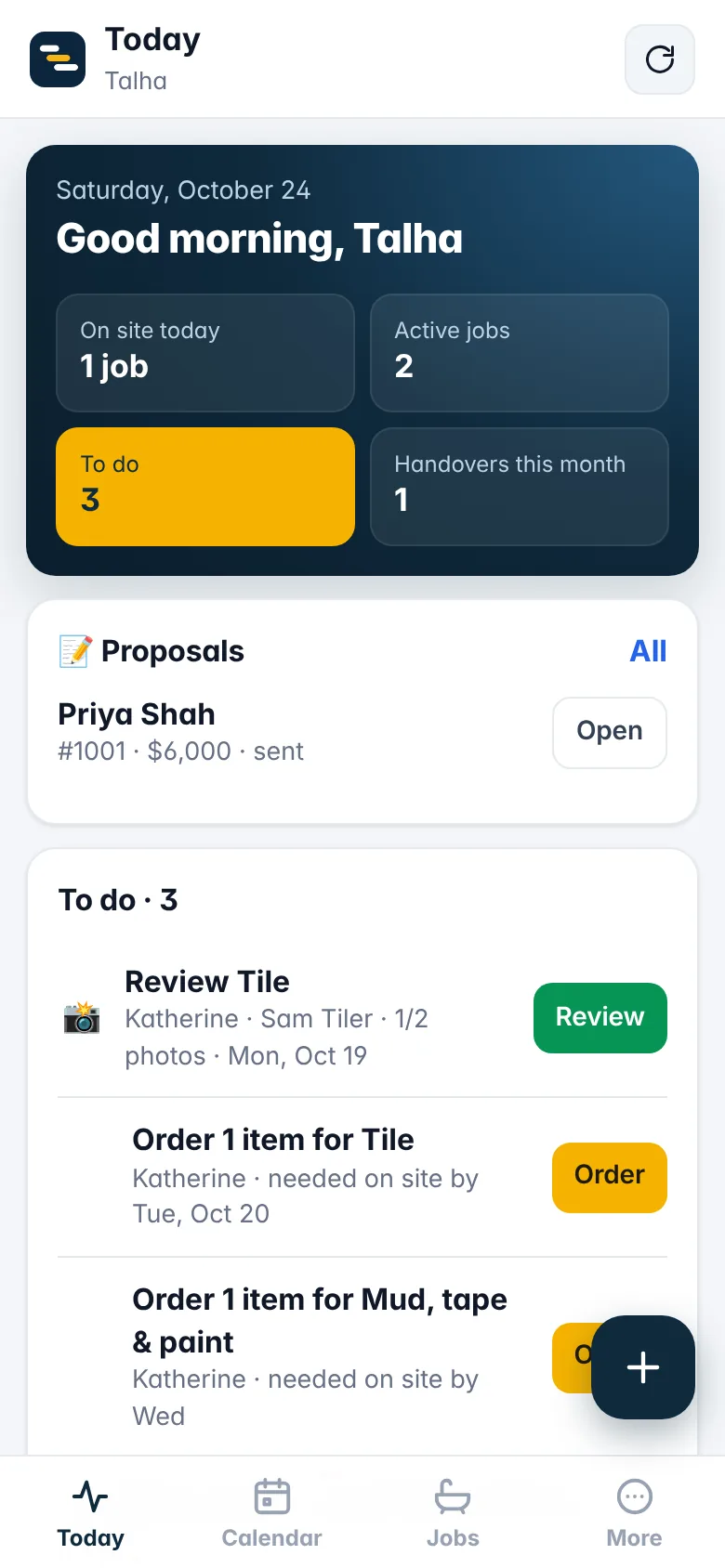
Here's a job going through Renoline — the schedule, the text to your trade, the link they open, the photos, the client's page and the money.
No group chats, no whiteboard, no shoebox of receipts. Here's what a job looks like in Renoline.
Pick the client, the address and a template. Every phase, trade, material and required photo is scheduled for you — move one and the rest follow.
Tap Text on a phase. Renoline writes the booking — dates, address, scope and their own private link — and opens it in your messages.
Trades open the link to confirm and pick an arrival time, then upload the before & after photos you asked for. You approve from your phone.
Proposals signed on their phone, a page that answers "how's it going?", and invoices paid by card or e-Transfer.
Snap receipts, import bank statements, and every job shows its profit as it runs. Year-end is one Excel file for your accountant.
Your trades already live on text, so Renoline meets them there. No app to download, no login to forget, no "did you finish?" calls.
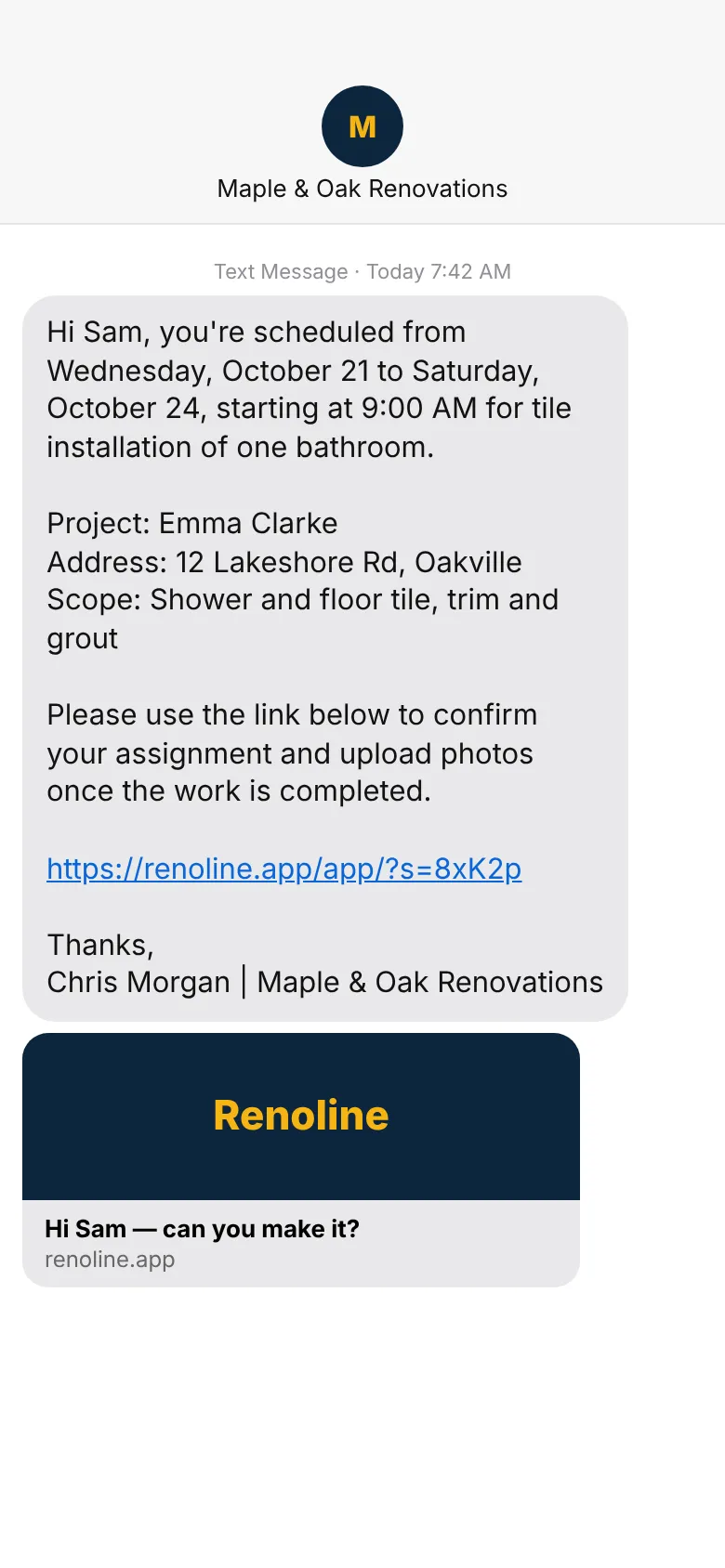 1 · Renoline writes the text
Dates, start time, address, scope and their own private link — built from your schedule. Tap Text and it opens in your phone's messages, ready to send.
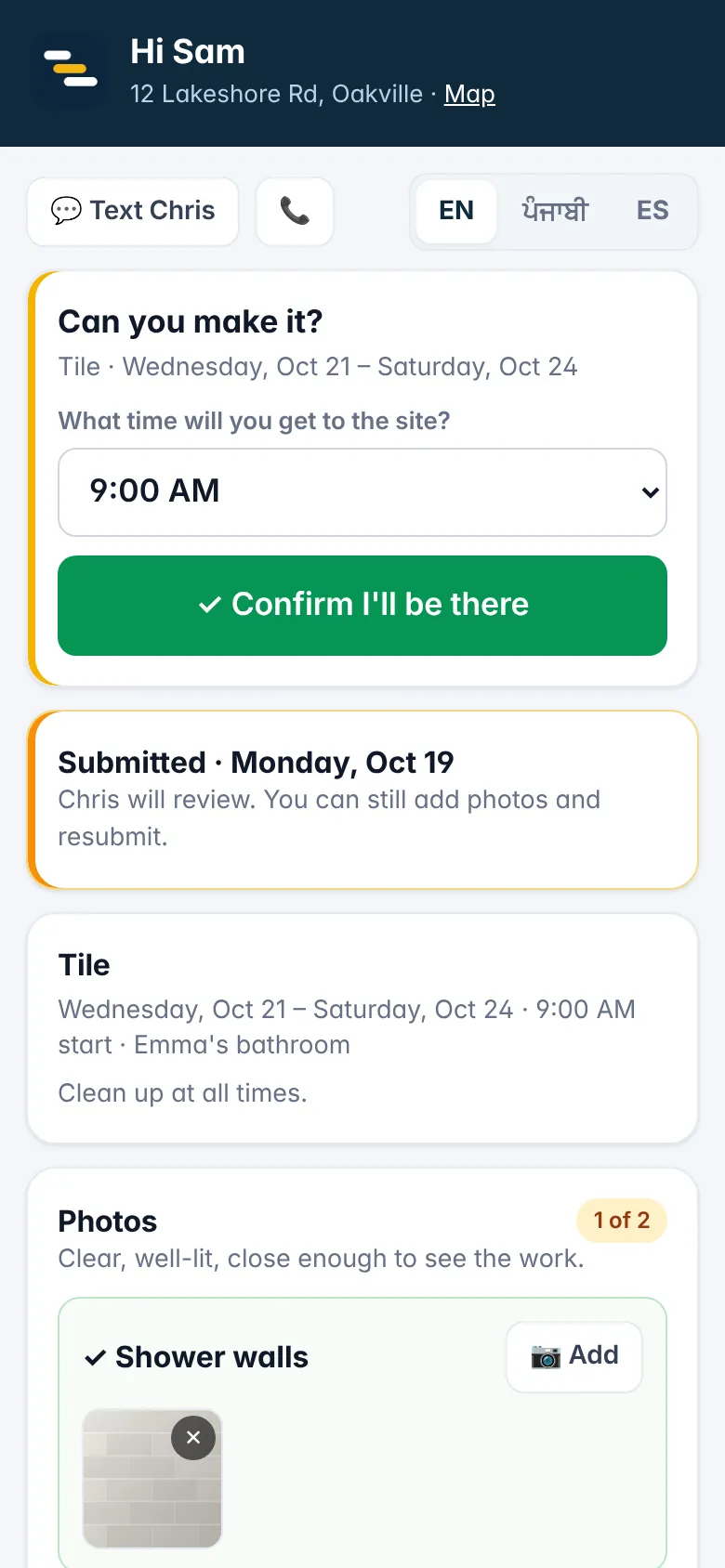 2 · They confirm in one tap
The link opens their job: pick an arrival time, confirm, see the scope and materials, and text or call you from the page. In English, Punjabi or Spanish.
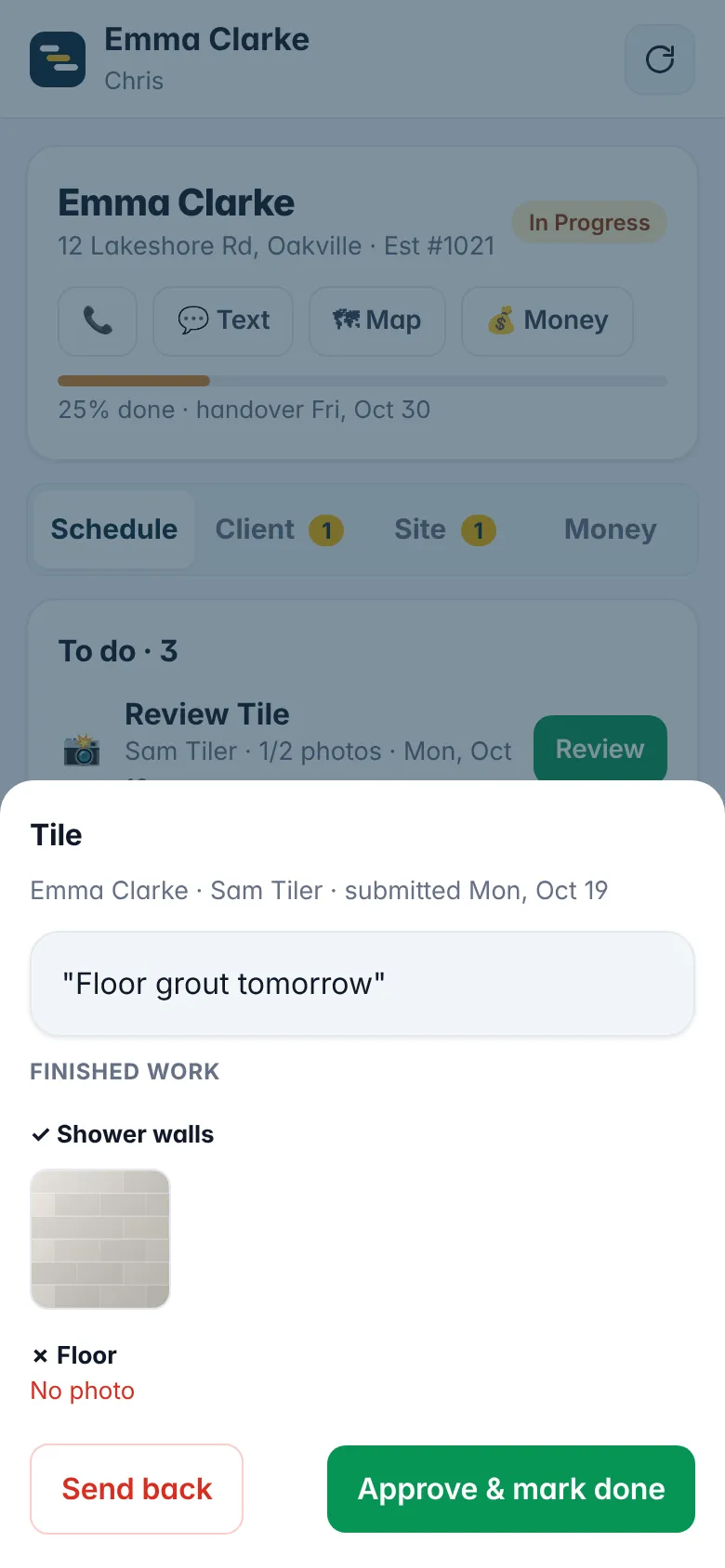 3 · Photos before it's done
The link asks for the exact before & after shots each phase needs. You approve or send it back with a note — clients only see what you approve.
Start from a template that already knows the phases, the materials and the photos each job needs. Change anything.
Pick your trade at sign-up and get its templates, wording and a starter price book. Book a service call in 20 seconds and invoice before you leave.
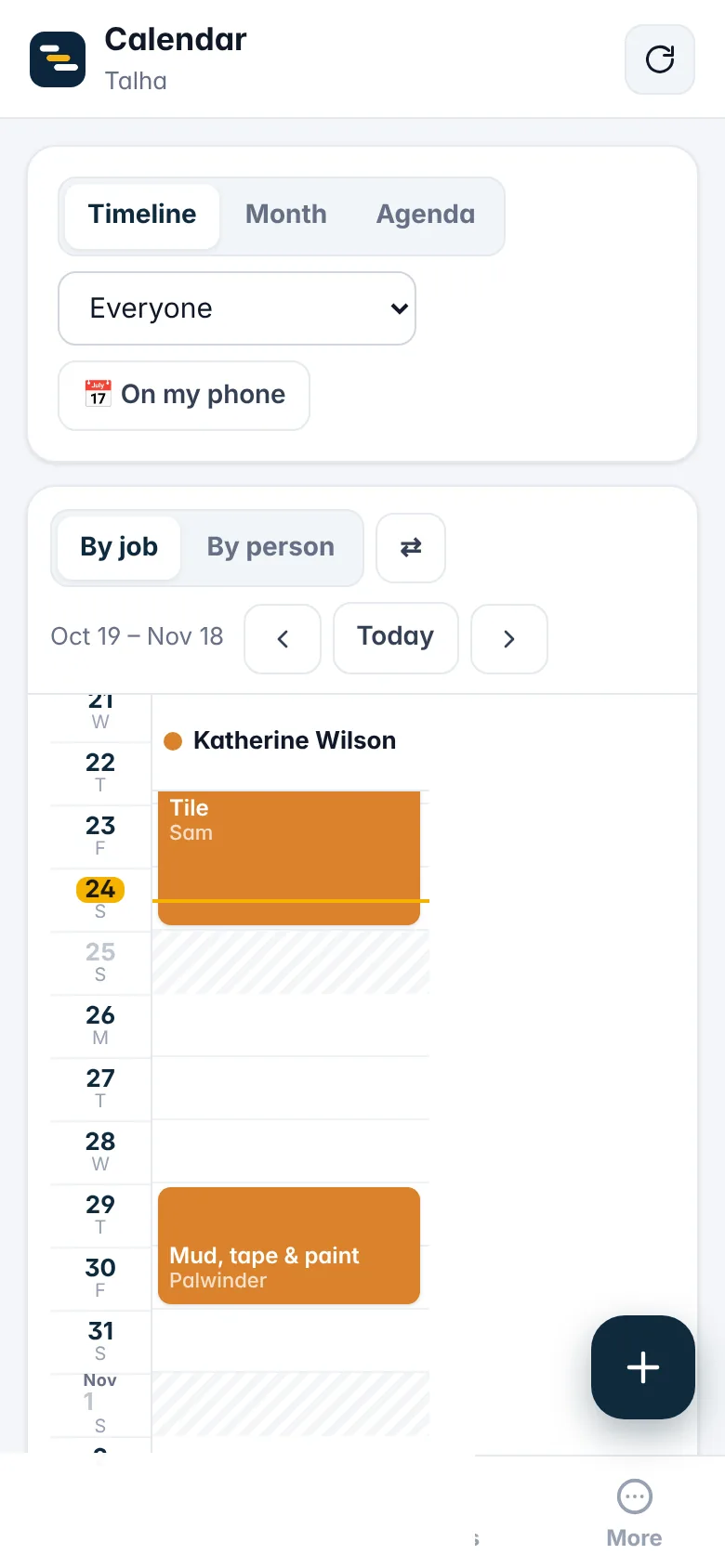
Timeline by job or by person. Red when someone's double-booked. Move a phase and everything after it moves — with the texts to your trades ready to send.
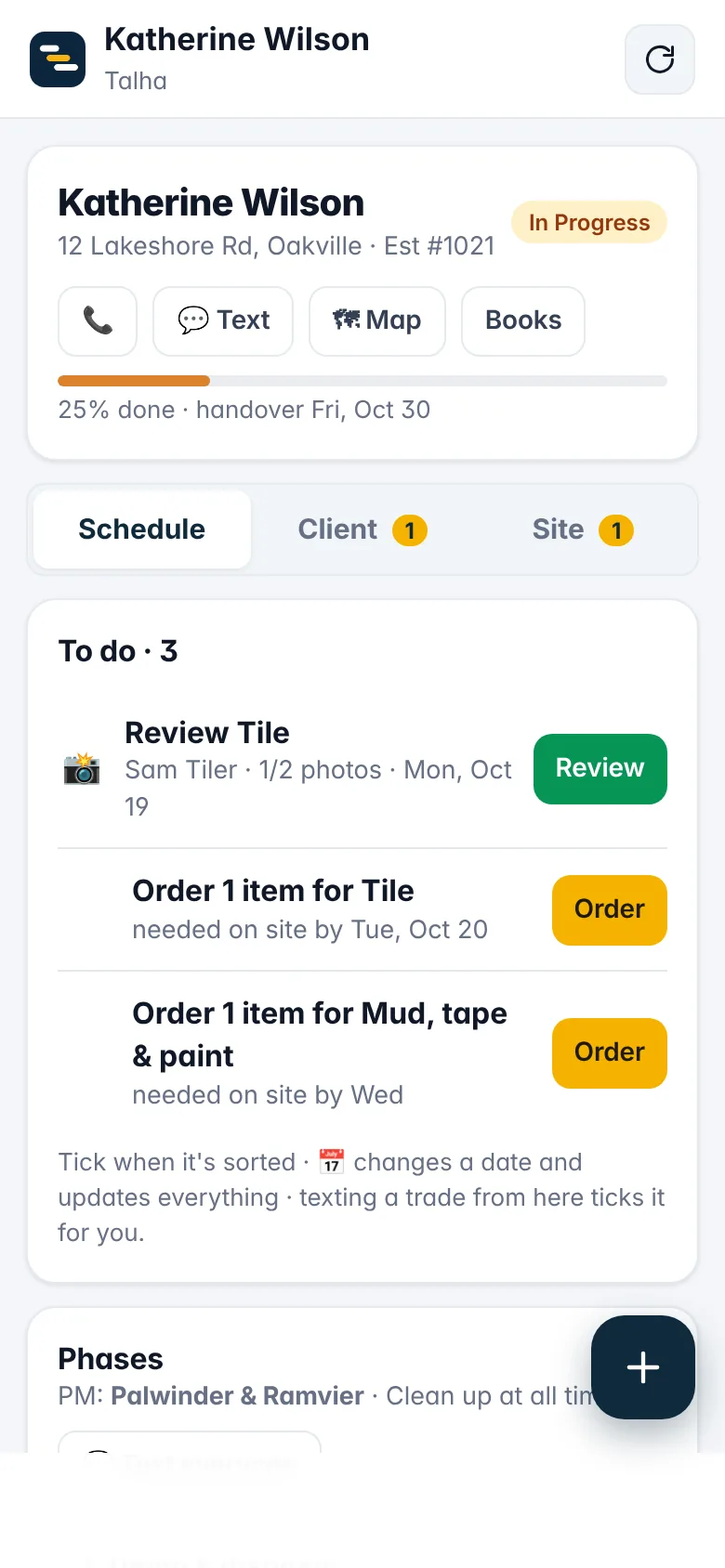
Each job page shows what's next: photos to review, materials to order, calls to make, selections the client still owes you. Tick it and it's gone — nothing slips through the cracks.
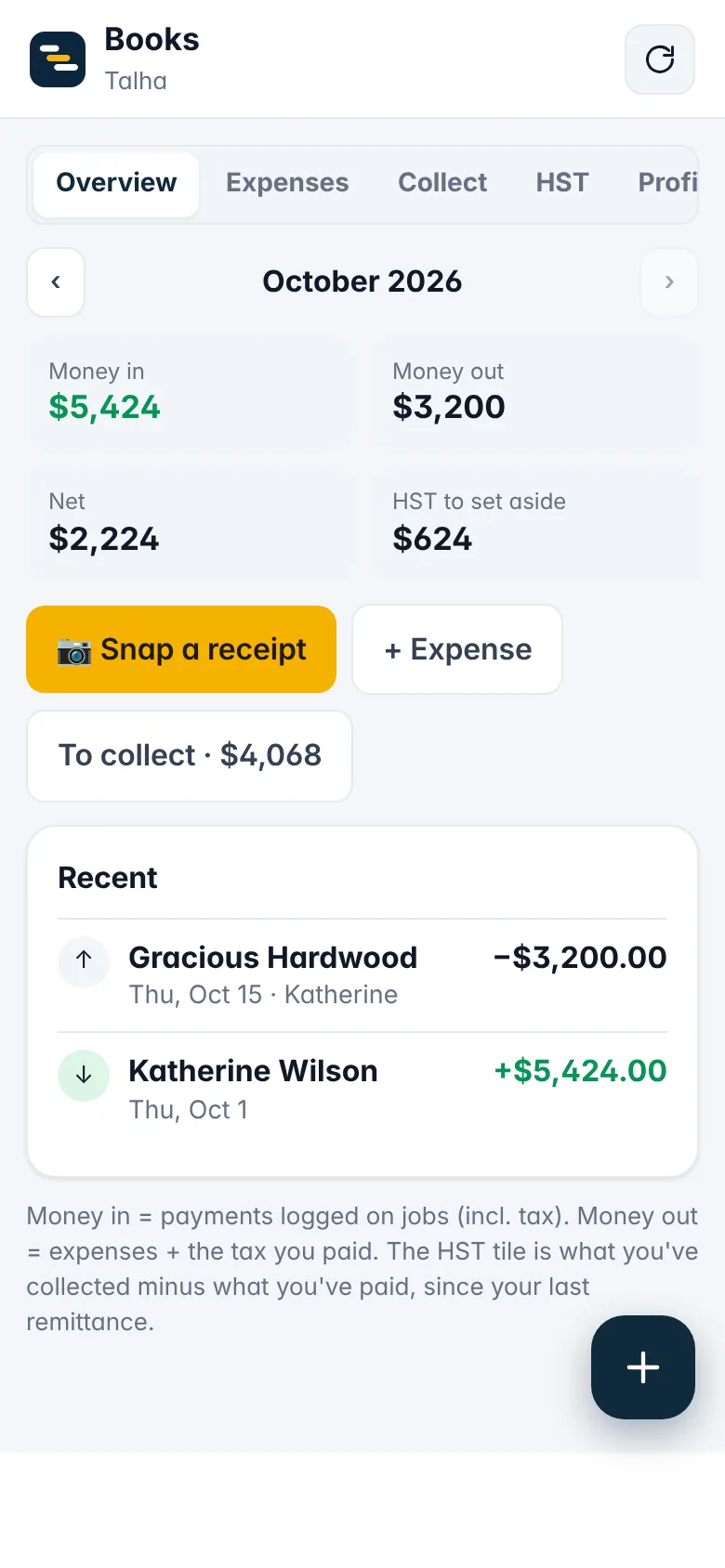
Snap a receipt and Renoline reads the amount, tax and supplier. Job costs, overhead, HST to set aside and who still owes you — always current, ready for your accountant.
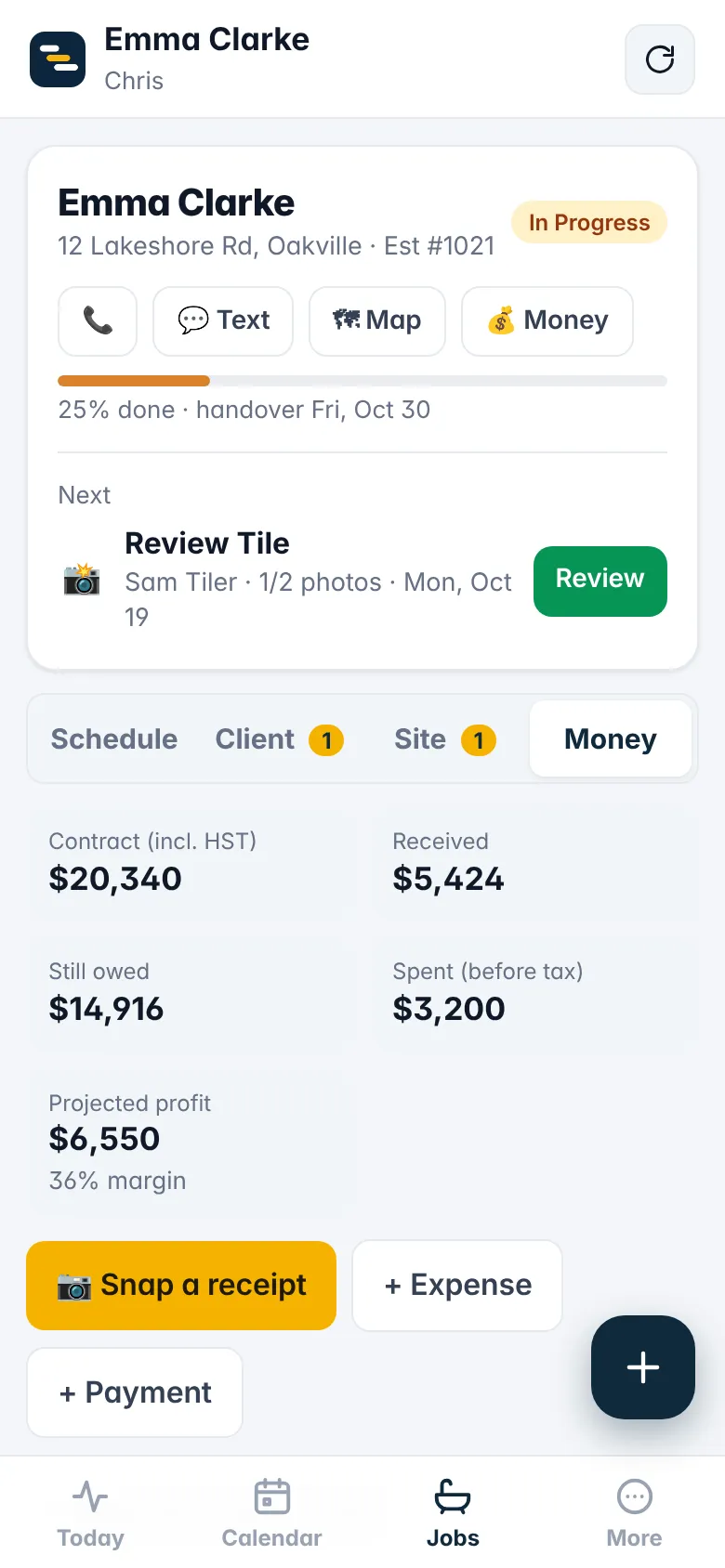
Every job has its own Money tab: the contract, what's been paid, what's still owed, every expense with its receipt, and projected profit — so you see a job going sideways while you can still fix it.
Every job, where it is, what's at risk, who's where this week, and your 90-day numbers — cycle time, on-time %, punch items, warranty calls. Open it on the big screen.
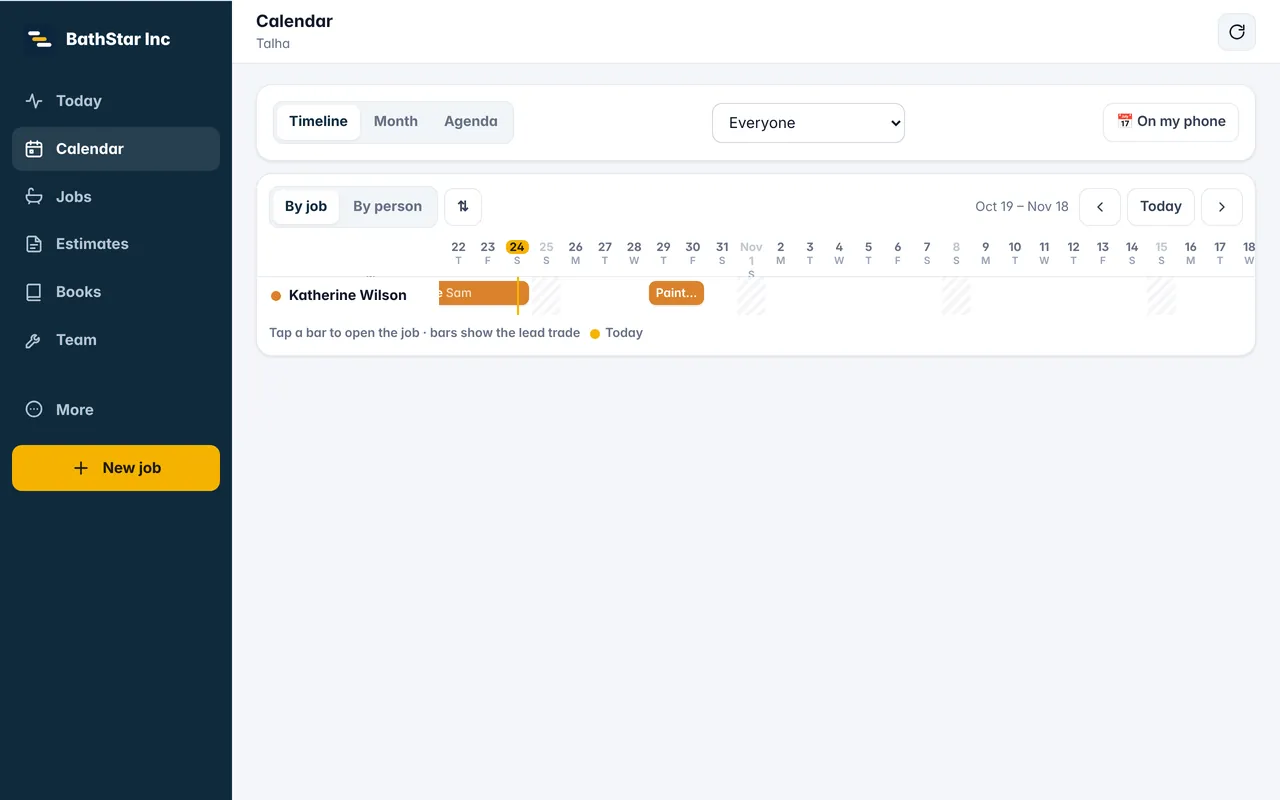
Bring your trades, clients, jobs and past expenses across from a spreadsheet, QuickBooks or Jobber export. Start from ready-made templates for bathrooms, kitchens, basements and whole homes.
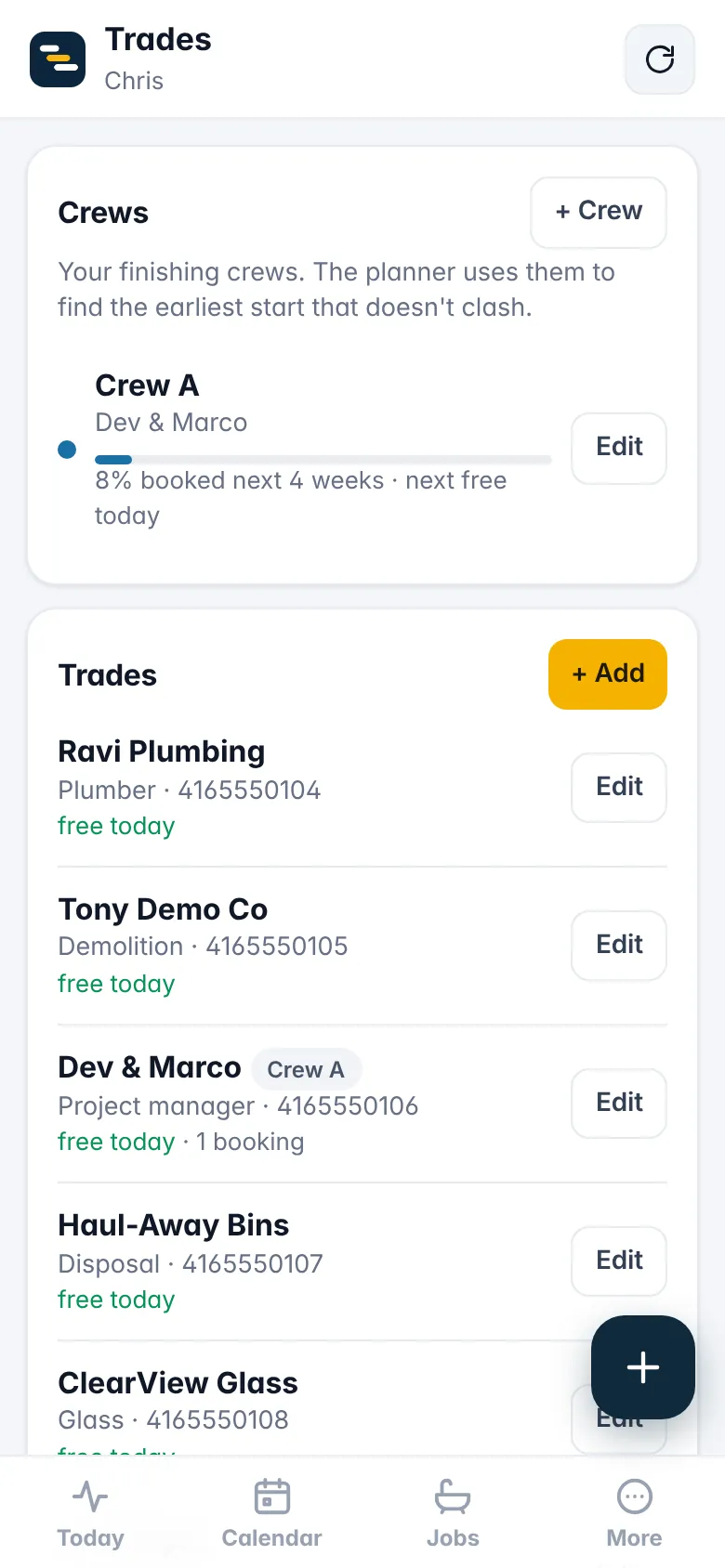
Every proposal, client page and invoice is a link you text. It works on any phone, with nothing to download.
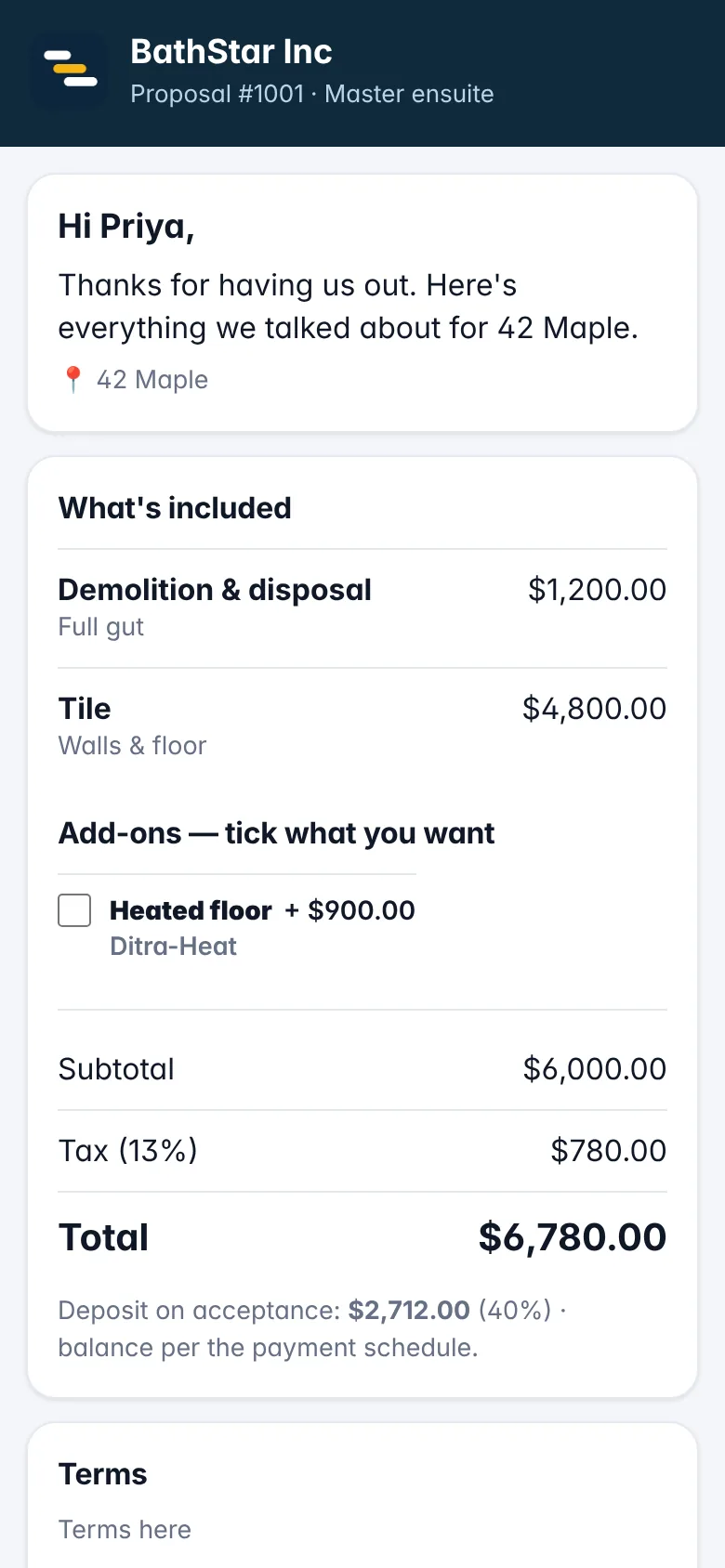 Proposals they sign on the spot
Line items, optional add-ons they can tick, deposit on acceptance. Signed on the screen, logged with time and IP.
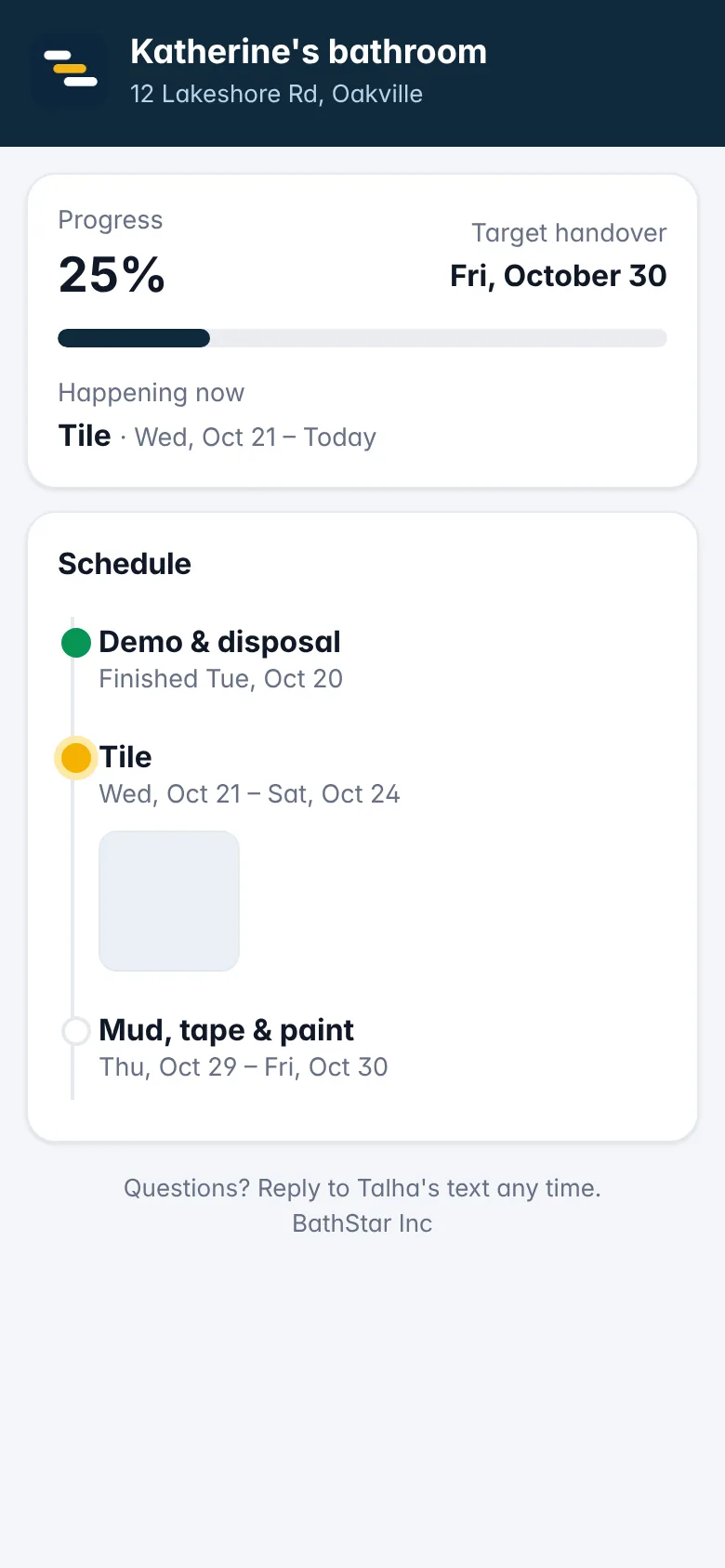 A page that answers "how's it going?"
Progress, schedule, approved photos, selections with deadlines, change orders to approve, warranty requests after handover.
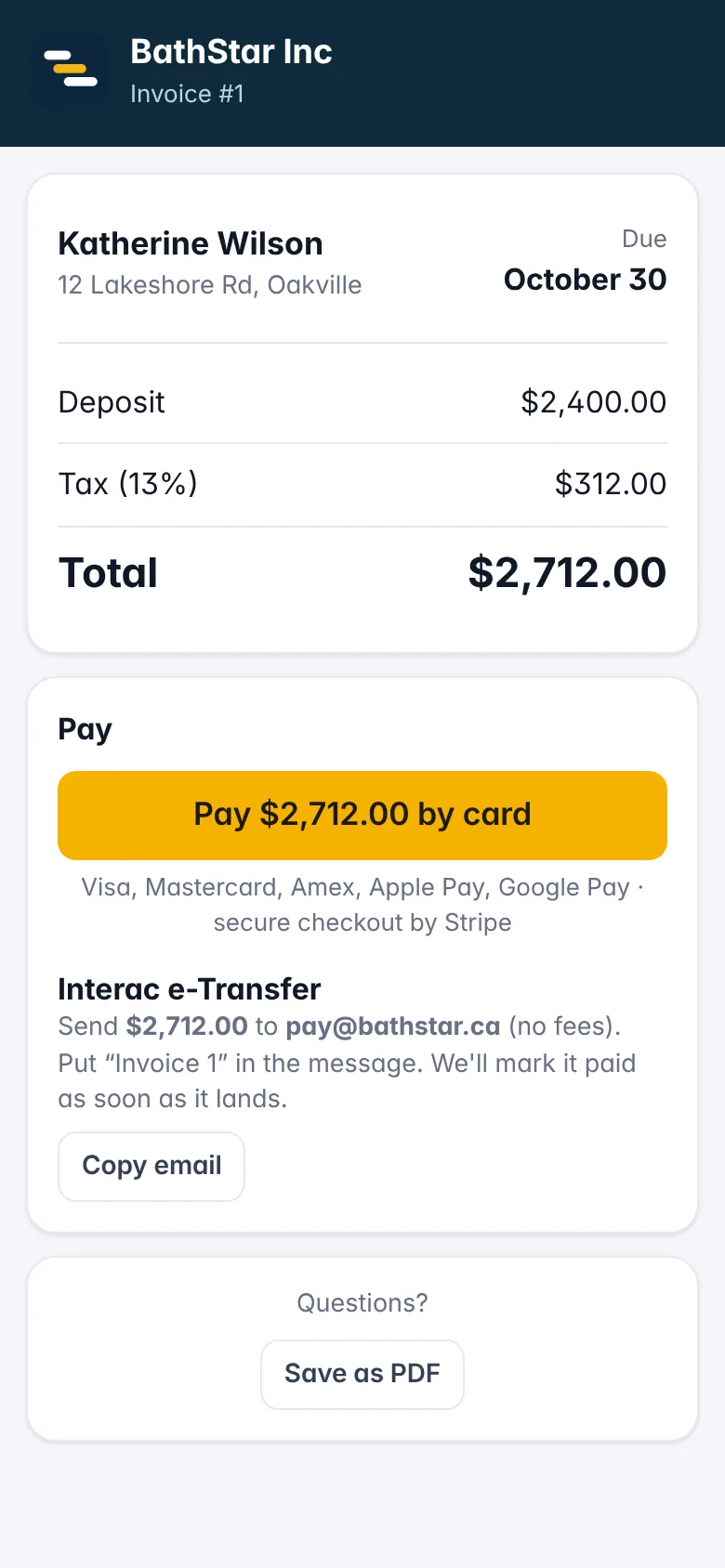 Invoices they pay by card or e-Transfer
Deposit, progress and final invoices in two taps. Card payments land in your Stripe account; e-Transfers get matched when you log them.
"We run several jobs at a time with a dozen trades on text. The big platforms wanted logins for every sub, weeks of onboarding and $500 a month. So we built the tool we actually needed — and it's been running our own jobs since day one."
| Renoline | Big-GC software | Texts & a whiteboard | |
|---|---|---|---|
| Trades confirm + photo proof, no app | Yes | Sub portal, logins | — |
| Proposals with e-signature & card payments | Yes | Yes | — |
| Books with receipt scanning & HST | Yes | Separate app | Shoebox |
| Multiple bathrooms per job, scheduled together | Yes | Manual | — |
| Set-up time | 10 minutes | Weeks + onboarding fee | — |
| Price for a 3-person office | From $79/mo | $200–$1,100/mo | Free, until a job slips |
Move the sliders. This is a simple estimate — one missed phase or one unpaid invoice a month adds up fast.
Trades and clients are always free — they use links, not logins. Prices in CAD, billed monthly, cancel any time.
Renovation and trade contractors running a few jobs at a time with a small office — bathrooms, kitchens, basements and design-build, plus plumbers, electricians, HVAC, handymen, glass, flooring, drywall and painting, tile, carpentry, cabinets, windows and doors, and deck and fence builders. If your trades live on text and your books live in a shoebox, it's for you.
Sign up, pick a plan and add a card — you're not charged anything for 30 days. Use everything, invite your office. Your first payment happens on day 31; cancel any time before that from Settings → Billing and you pay nothing.
A normal text from your phone: the dates and start time, the address, the scope of work and a private link. The link opens a simple page where they confirm, pick an arrival time, see their materials and checklist, upload the photos you asked for and leave you a note. No app, no login, and it works in English, Punjabi or Spanish.
No. Trades get a link by text to confirm, pick an arrival time, tick materials and send photos. Clients get a link to their proposal, their job page and their invoices. Nothing to install, ever.
Yes. Connect your Stripe account in Settings and every invoice gets a "Pay by card" button. Money goes straight to your account. e-Transfer instructions are on the invoice too.
About 10 minutes: company name, your templates (we give you three), your first job. Bringing your existing jobs and bookkeeping across from a spreadsheet or another app is a one-time import.
Books tracks payments in, expenses out (with receipt photos), the HST you've collected and paid, and profit per job. Export everything for your accountant any time. It is not a replacement for filing your taxes.
Renoline is built for the phone first. Add it to your home screen from Safari or Chrome and it works like an app — push notifications included. Native App Store and Play Store apps are coming.
Yes. One login can hold several companies, each with its own jobs, team and books. Switch between them from the More tab.
Your data sits in a Canadian-region database, encrypted in transit and at rest, isolated per company. You can export everything as a file whenever you want, and delete your account by asking us.
Add Renoline to your home screen and it works like an app — full screen, push notifications, camera for receipts and site photos.
Open renoline.app/app in Safari → tap Share → Add to Home Screen.
Open renoline.app/app in Chrome → menu ⋮ → Install app.
Your first job set up in 10 minutes. Nothing charged for 30 days, no onboarding call, no sub logins.
Start free Talk to us Renoline